Invitation Maker

Make a party, birthday or wedding invitation with your details and an optional photo.

By Ian Miller · Founder, blogger and affiliate marketer · Last updated November 2026 · Our story

The largest text on the invitation.

Date, time, place and anything guests need to know.

How to reply. Leave empty to hide it.

Style

Try a sample photo Click one and the tool uses it in your pin

More things you can do with your pin

Changes the shape of the picture above before you download it.

Makes five copies of your pin in different colors. Each one has its own download button, and you can also download all five in one ZIP.

Changes the colors of the pin above at random. Press it again for another look.

Saves the picture above as a PNG.

The tool remembers what you typed on this device. This clears it and starts again.

How to use the Invitation Maker

  1. 1

    Write the event and the details

    Type the opening line and the event or names, which is the largest text. Then list the date, the time and the place, one per line, and how to reply.

  2. 2

    Add a photo and pick the size

    A photo is optional. Choose where it goes, then choose the size: pin, 5 x 7 print or story for a phone screen.

  3. 3

    Choose a style and download

    Pick a color style, a font for the name and a frame. Click Download PNG to save the invitation.

An invitation has one job: tell people what, when and where, and make them want to come. Most are now sent as an image in a message or a group chat, and many are still printed. Both need the same thing, a clean card that is easy to read on a phone.

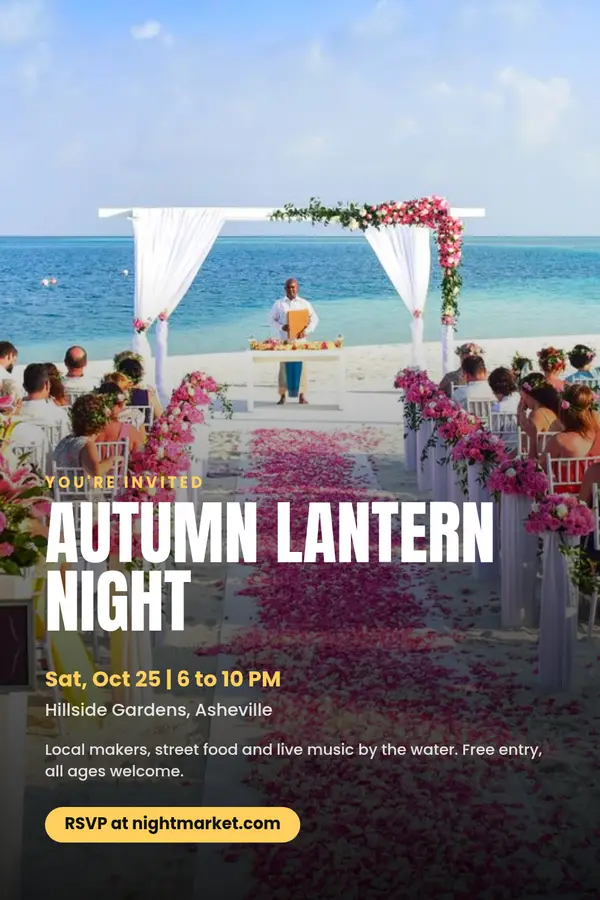
Type an opening line, the event or the names, and the details, one per line. Add a photo if you like, at the top, in a circle or as the whole background. Choose a size: a 2:3 pin, a 5 x 7 inch print or a 9:16 story. The invitation is made in your browser, with no account and no watermark.

What to put on an invitation

Guests need five things: who or what it is for, the date, the time, the place and how to reply. Write the date with the day of the week, since people check that first. If there is a dress code, a gift note or a parking tip, add one short line; more than that belongs in a message.

Keep the name short enough to read at a glance. A script font such as Great Vibes suits weddings and showers. A bold sans serif suits a party or a kids birthday.

Sizes for sharing and printing

The 5 x 7 inch size is 1500 x 2100 pixels, 300 dots per inch, the usual resolution for a sharp print. The story size, 1080 x 1920, fills a phone screen in messaging apps and Instagram stories. The 2:3 pin size is for sharing ideas and templates on Pinterest.

For a public event, use the event flyer pin maker. For a card to send on the day, see the birthday card maker, and for the food, the holiday menu pin maker.
Rate the Invitation Maker

Be the first to rate this tool.

Your rating

Ratings are counted straight away. Comments appear after a quick check. Please leave web addresses out.

What people say

    No comments yet.

    Invitation Maker FAQ

    Is the invitation maker free?

    Yes. There is no account, no watermark and no limit on downloads.

    Can I print the invitation?

    Yes. Choose the 5 x 7 inch size, which is 1500 x 2100 pixels, and print it at home or at a print shop.

    Can I make an invitation without a photo?

    Yes. Without a photo the text is centered on a colored card with an optional thin frame.

    Which occasions does it work for?

    Birthdays, weddings, engagement parties, baby showers, graduations, dinners and holiday parties. Change the opening line and the details to suit.

    Is my photo uploaded?

    No. The invitation is drawn in your browser and your photo stays on your device.

    More free tools

    See all 146 tools

    Browse all free Pinterest tools, including more pin makers. Need a full pin design? Use the free pin maker.