Poster Maker

Make a bold poster with a huge headline, an optional photo and print ready sizes.

By Ian Miller · Founder, blogger and affiliate marketer · Last updated November 2026 · Our story

Leave empty to hide it.

Press Enter for a new line. Short words look biggest.

Leave empty to hide it.

Date, place or a website.

Style

Try a sample photo Click one and the tool uses it in your pin

More things you can do with your pin

Changes the shape of the picture above before you download it.

Makes five copies of your pin in different colors. Each one has its own download button, and you can also download all five in one ZIP.

Changes the colors of the pin above at random. Press it again for another look.

Saves the picture above as a PNG.

The tool remembers what you typed on this device. This clears it and starts again.

How to use the Poster Maker

  1. 1

    Write the headline

    Type the headline on one to three lines, pressing Enter between them. Short words become very large. Add the top line and the line under the headline if you need them.

  2. 2

    Choose a layout and a photo

    Pick big text on color, or one of the two photo layouts and add your photo.

  3. 3

    Pick a size and download

    Choose 18 x 24, 24 x 36 or 11 x 17 inches, or a 2:3 pin, then a color style. Click Download PNG.

A poster is read from across a room, a hallway or a street, so it needs a few very large words. That is why game day posters say "GO TIGERS" and campaign posters say a name and a slogan, and why most of the design work is deciding what to leave out.

Type a top line, a headline of one to three short lines, a line under it and a bottom line. The headline grows to fill the space. Choose big text on color, a full photo with the text at the bottom, or a photo on top with the text below, then pick a print size. The poster is made in your browser and nothing is uploaded.

Poster ideas that work

For a football or school sports poster, use the team name or a chant as the headline, the opponent under it and the date and field on the bottom line. School colors as the background make it recognisable from far away.

For a campaign poster, the name is the headline and the office or slogan goes under it. For an event, the headline is the event itself. In each case one idea in large letters beats three ideas in small ones.

Sizes and printing

The downloads are 100 pixels per inch at full size: 1800 x 2400 for 18 x 24 inches and 1600 x 2400 for the 2:3 shape that 24 x 36 inch posters use, printed larger. That is enough for a poster seen from a few steps away. For text you read up close, print at 11 x 17 inches.

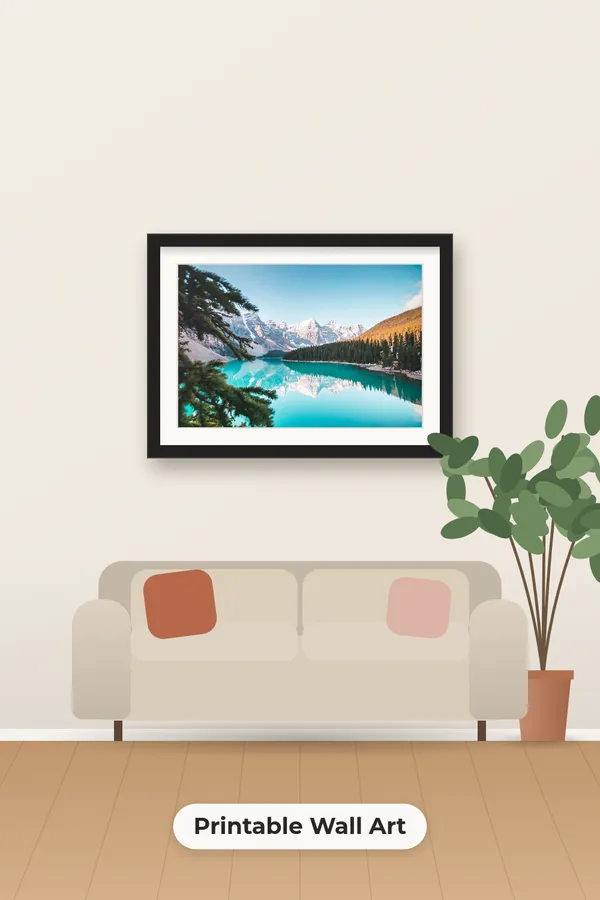
Print shops accept PNG files. For a handout use the flyer maker, and for wall art from a photo see the wall art mockup generator.
Rate the Poster Maker

Be the first to rate this tool.

Your rating

Ratings are counted straight away. Comments appear after a quick check. Please leave web addresses out.

What people say

    No comments yet.

    Poster Maker FAQ

    What size is a poster?

    Common print sizes are 11 x 17, 18 x 24 and 24 x 36 inches. This maker offers all three shapes, plus a 2:3 image for Pinterest.

    How do I make the headline bigger?

    Use fewer and shorter words, and put each on its own line. The headline always grows to fill the space it has.

    Can I add a photo?

    Yes. Choose "Photo with text at the bottom" or "Photo on top, text below" and add one photo.

    Is the poster maker free?

    Yes. There is no account, no watermark and no limit on downloads.

    Is my photo uploaded?

    No. The poster is drawn in your browser.

    More free tools

    See all 146 tools

    Browse all free Pinterest tools, including more pin makers. Need a full pin design? Use the free pin maker.